
Multi-Platform Selling: Resizing and Formatting Images for Every Marketplace
Master image requirements across Amazon, Etsy, eBay, and Shopify with a single streamlined workflow.
The Challenge of Selling on Multiple Platforms
Selling across multiple e-commerce platforms is one of the most effective ways to grow your online business. Each platform brings unique traffic, different customer demographics, and additional sales channels. But multi-platform selling comes with a hidden cost: image management.
Every marketplace has its own image requirements — different dimensions, file formats, aspect ratios, and background rules. Managing these variations manually is tedious, error-prone, and time-consuming. A single product might need five or more image variants to comply with each platform's standards.
Complete Image Specification Reference
| Platform | Main Image Size | Aspect Ratio | Format | Background | Max Images |
|---|---|---|---|---|---|
| Amazon | 2,000+ px (longest side) | Any (square preferred) | JPEG, PNG | Pure white (RGB 255,255,255) | 9 |
| Etsy | 2,000 x 2,000 px | 1:1 (square) | JPEG, PNG, WebP | Clean, light preferred | 10 |
| eBay | 1,600 x 1,600 px minimum | 1:1 or 4:3 | JPEG, PNG, BMP | White or light | 24 |
| Shopify | 2,048 x 2,048 px | 1:1 or 3:2 | JPEG, PNG, WebP | Brand-consistent | Unlimited |
| Walmart | 2,000 x 2,000 px minimum | 1:1 | JPEG, PNG | White only | 8 |
| Google Shopping | 1,200 x 1,200 px minimum | 1:1 | JPEG, PNG, GIF | White or transparent | 10 |
A Single Workflow for All Platforms
Instead of editing images separately for each platform, use a single streamlined workflow. Here is the process that successful multi-platform sellers use:
Step 1: Create a Master Image
Start with the highest quality image you can produce. Shoot at maximum resolution, with even lighting and a clean background. This master image should be at least 4,000 px on the longest side — higher than any platform requires. Starting with a high-resolution master gives you flexibility to crop, resize, and reformat without quality loss.
Step 2: Remove and Replace Backgrounds
Use QuickBG's background remover to strip the background from your master image. This creates a transparent PNG cutout that you can use across all platforms. The transparent format is especially valuable for:
- Amazon — place on pure white background for the main image
- Etsy — place on a consistent light background for a cohesive shop look
- Shopify — place on your brand's signature background color
- Google Shopping — submit with transparent background for best results
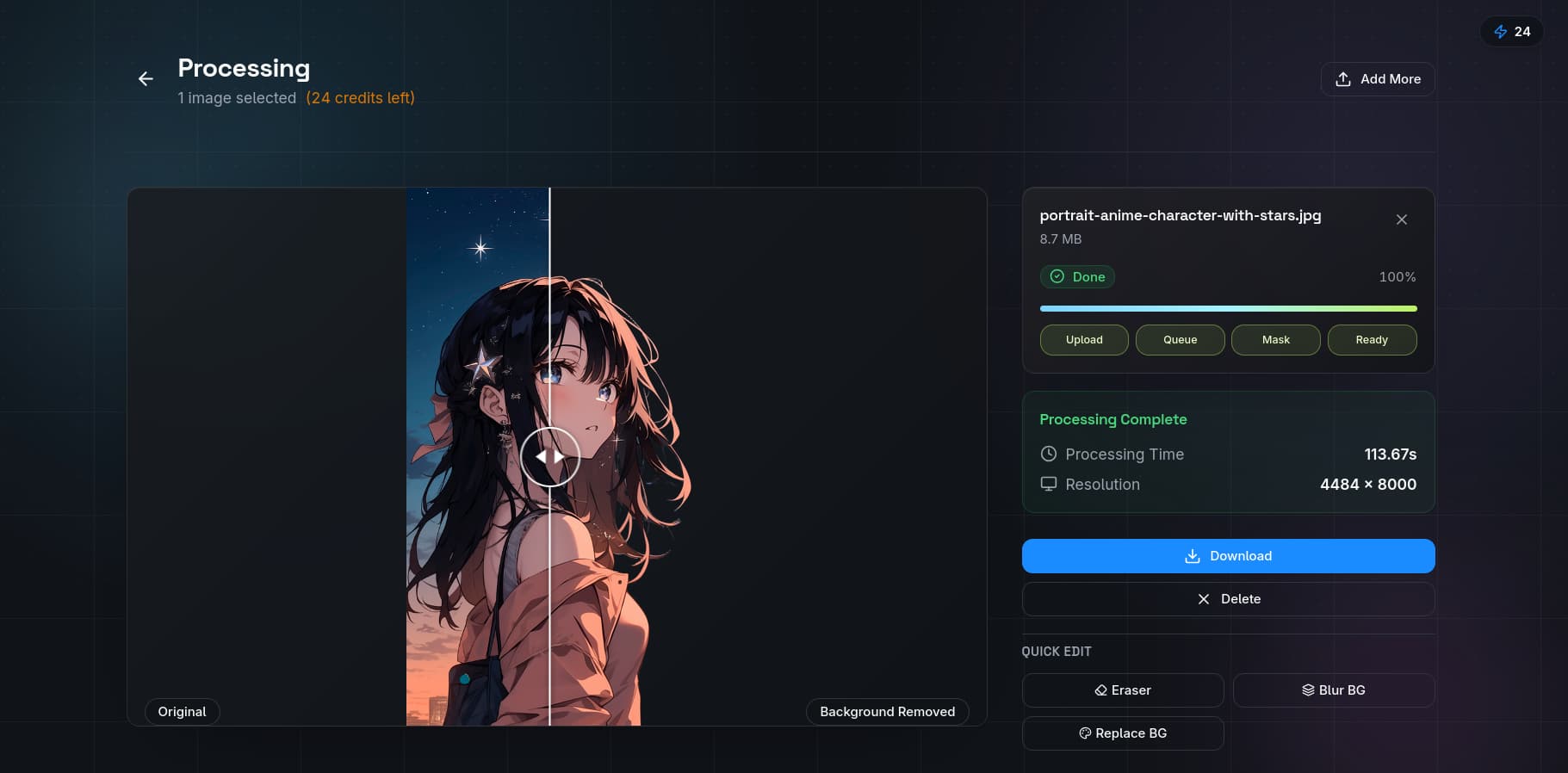
Step 3: Resize for Each Platform
With your master cutout ready, use the resize tool to generate platform-specific versions. QuickBG lets you create presets so you can export all required sizes in one batch:
- 2,000 x 2,000 px for Etsy and Walmart
- 2,000+ px longest side for Amazon
- 1,600 x 1,600 px for eBay
- 2,048 x 2,048 px for Shopify
- 1,200 x 1,200 px for Google Shopping
Step 4: Convert File Formats
Different platforms prefer different formats. Use the format converter to batch-convert your resized images. JPEG works well for most platforms when file size matters. PNG is required when you need transparency. WebP offers better compression for Shopify stores concerned about page speed.
Platform-Specific Optimization Tips
| Platform | Unique Requirement | Quick Tip |
|---|---|---|
| Amazon | Main image must have 85% product fill | Crop tightly using the crop tool before adding white background |
| Etsy | First image appears in search as a square thumbnail | Ensure your product is centered and fills the square frame |
| eBay | Gallery image is 400 x 400 px but supports zoom | Upload at least 1,600 px for supersize zoom functionality |
| Shopify | Compressed images hurt site speed and SEO | Use the converter to optimize file size without quality loss |
| Walmart | Requires at least 2,000 x 2,000 px minimum | Use the sharpness tool to ensure clarity at full resolution |
Organizing Your Image Workflow for Scale
When you sell hundreds of products across multiple platforms, organization is everything. Here is a naming convention and folder structure used by top sellers:
Folder structure: /products/[sku]/master — original high-resolution images /products/[sku]/amazon — Amazon-specific exports /products/[sku]/etsy — Etsy-specific exports /products/[sku]/shopify — Shopify-specific exports
File naming convention: [sku][platform][image-number].[format] Example: AC-100_amazon_01.jpg, AC-100_etsy_01.png
The Cost of Getting Images Wrong
Poor image formatting has real costs for multi-platform sellers:
- Amazon listing suppression for non-white backgrounds on main images
- Etsy search ranking penalties for low-resolution images
- eBay gallery zoom failure for images under 1,600 px
- Shopify slow page load from unoptimized large files
- Google Shopping disapproval for incorrectly formatted images
How QuickBG Simplifies Multi-Platform Image Management
QuickBG's tool suite was designed with multi-platform sellers in mind. The combination of background removal, background replacement, resizing, cropping, and format conversion covers the entire image preparation workflow. Instead of switching between five different tools or hiring a virtual assistant to handle image edits, you manage everything in one place.
The bottom line: consistent, platform-compliant images across all your sales channels drive higher conversion rates, reduce listing issues, and build a professional brand presence that customers trust. Start with your master image, apply the right workflow, and scale across every marketplace.